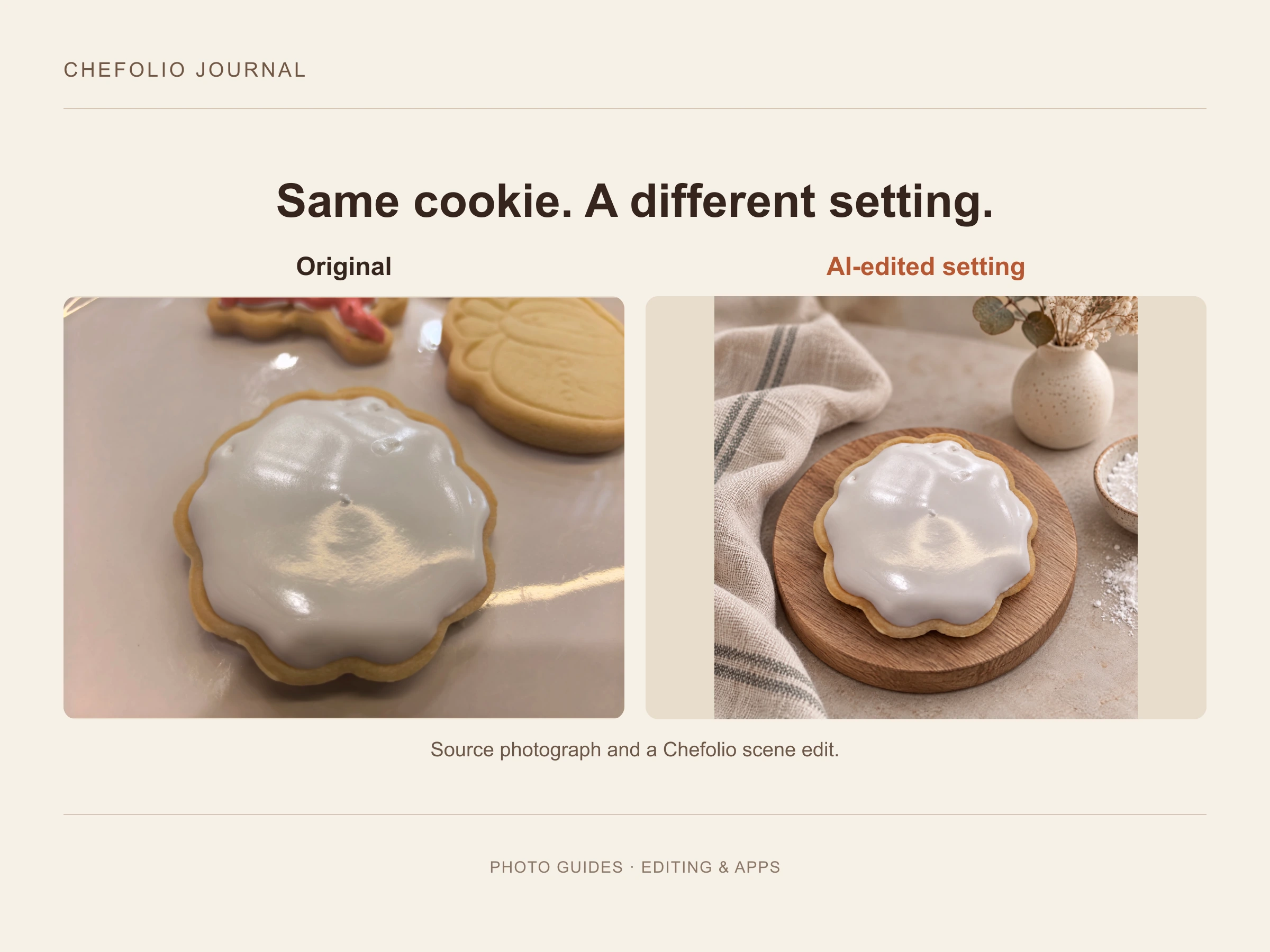
A note from Chefolio: we make an app that edits food photos. Chefolio is designed to change lighting and backgrounds, but an AI edit can also change the food. We label our edits and check them against the source.
Short answer: yes, as long as the photo still shows what the customer is going to get.
That sounds obvious, but a lot of bakers treat editing as one thing when it's several. Fixing a yellow tint is editing. So is putting your cookies on a marble slab they've never touched. So is painting over a cracked flood in the photo. Customers react very differently to each of those, and the difference comes down to whether they feel misled when they open the box.
The truth comes out at pickup
Most photo advice is written for people who sell to strangers online. Home bakers mostly don't. Your customers pick up from your porch, see the cookies in person, and then decide whether to order again and whether to tell their friends. A gap between the photo and the box doesn't stay hidden.
This year has shown what happens when small food businesses get this wrong. In May, Myer's Bagels in Burlington, Vermont, posted promotional images made with AI, including one of a rearranged version of the shop. Customers filled the comments and left bad Google reviews, and the shop apologized and took the images down (PetaPixel). In July, a San Francisco café that had put AI-generated food photos on a board in its front window had its storefront spray-painted after a Reddit post about the board went viral (PetaPixel).
Neither of those was a light edit. Both showed food or places that didn't exist. But they tell you how strongly people react to being shown something that isn't real.
There's research pointing the same way. Charles Spence, an experimental psychologist at Oxford, found in a 2024 study that people rated AI-generated food images well until they learned a machine had made them, and then liked them less (The Cool Down). The appeal depended on not knowing, which is a shaky thing to build a business on.
Three kinds of edits
This is how we'd sort them.
Always fine
These edits make the photo more accurate, not less:
- Cropping and straightening
- Brightening a dark photo
- Fixing a yellow or blue cast so white icing looks white again
- Removing a crumb, a smudge, or a stray sprinkle from the background (not from the cookie)
A yellow photo misrepresents your cookies more than a corrected one does. The icing you piped was white.
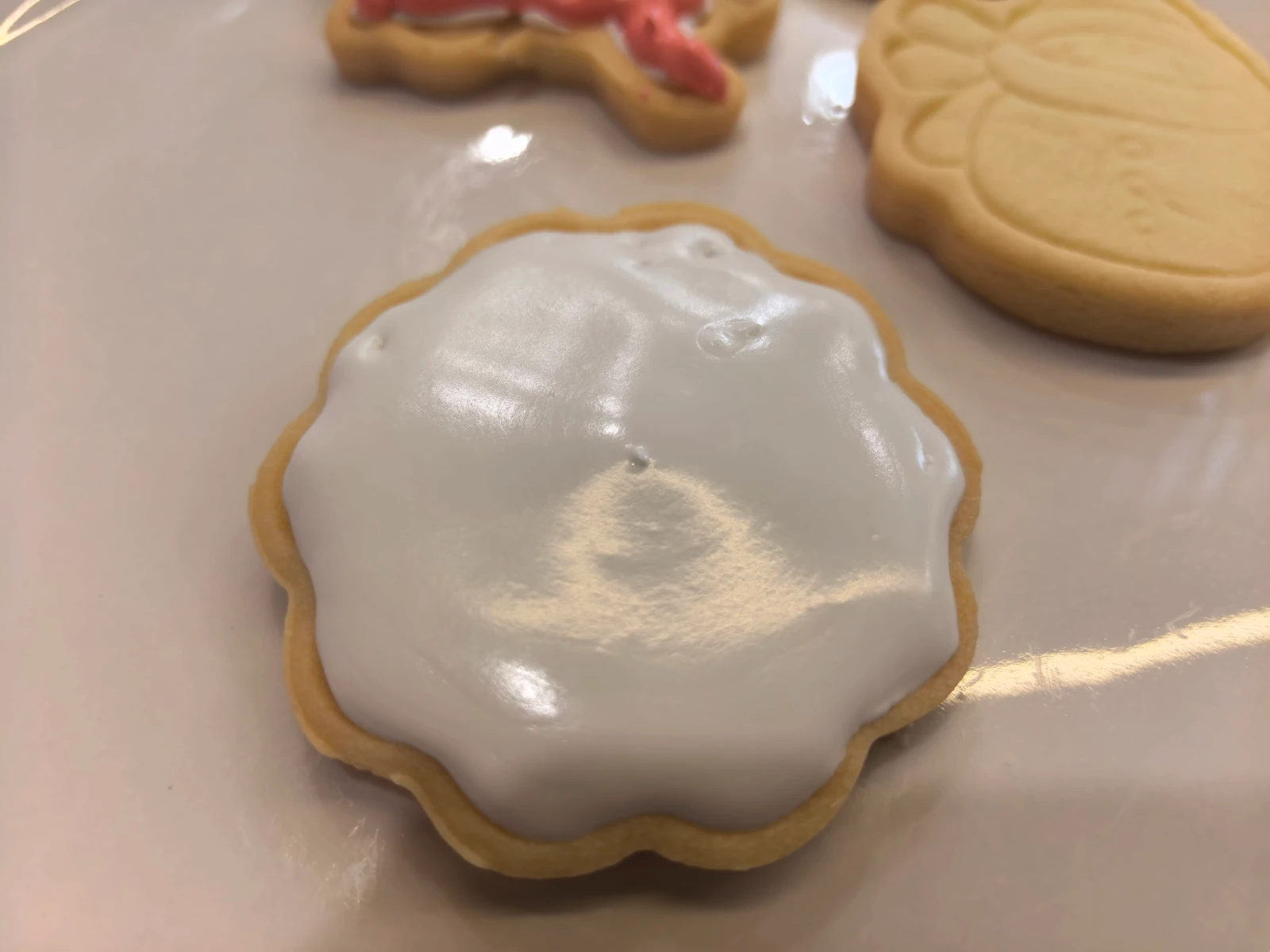
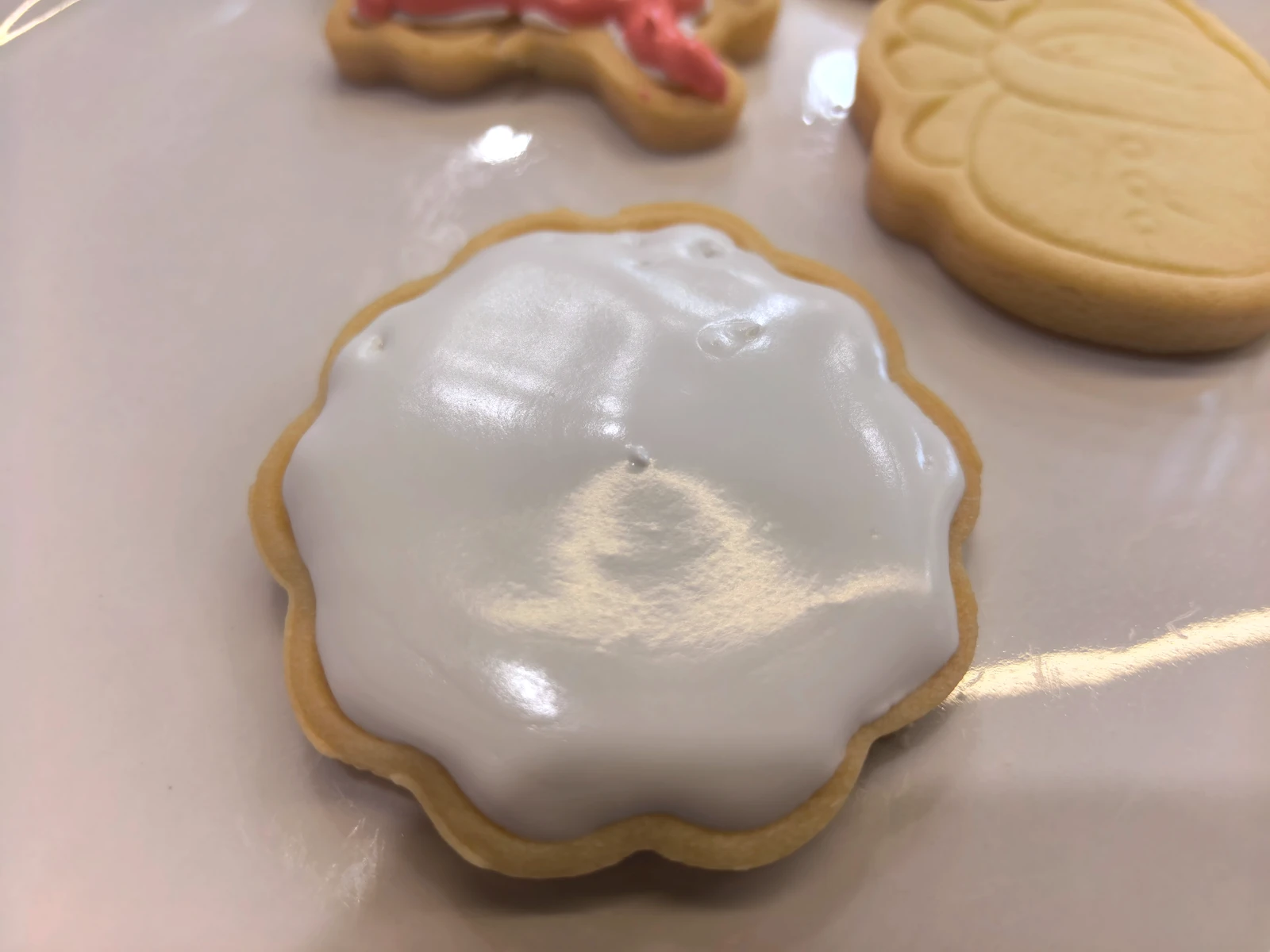
A global color adjustment of the same photograph. No AI scene generation or object retouching was used. This shows a color-cast adjustment, not a calibrated lighting test: the source has no measured white or gray reference.
Fine, if you say so
These change the setting, not the bake:
- Swapping a cluttered counter for a clean background
- Relighting a photo you took at night
- Placing the cookies in a styled scene with a marble surface, a wood board, or a bit of greenery
Before you use one of these edits, check that the cookie designs, colors and count still match what you will deliver. If the food changed, request another version or use the original. If the edit passes that check, a short caption such as "Background digitally edited" explains the scene change.
Not OK
These change what the customer is buying:
- Changing icing colors, or making a design look neater than the cookies you'll deliver
- Adding sprinkles, gold leaf, or details that weren't there
- Making cookies look bigger, or changing how many are in the box
- Showing a cake or cookie that AI generated from scratch
- Passing off someone else's photo as your work
The gray area is small flaws. Say your sample cookie has an air bubble in the flood icing. You could fix it in the photo, but then the photo promises a smoother cookie than you might deliver. Our advice is to rebake the sample or leave the bubble alone. Handmade things have tells, and your regulars already know that.
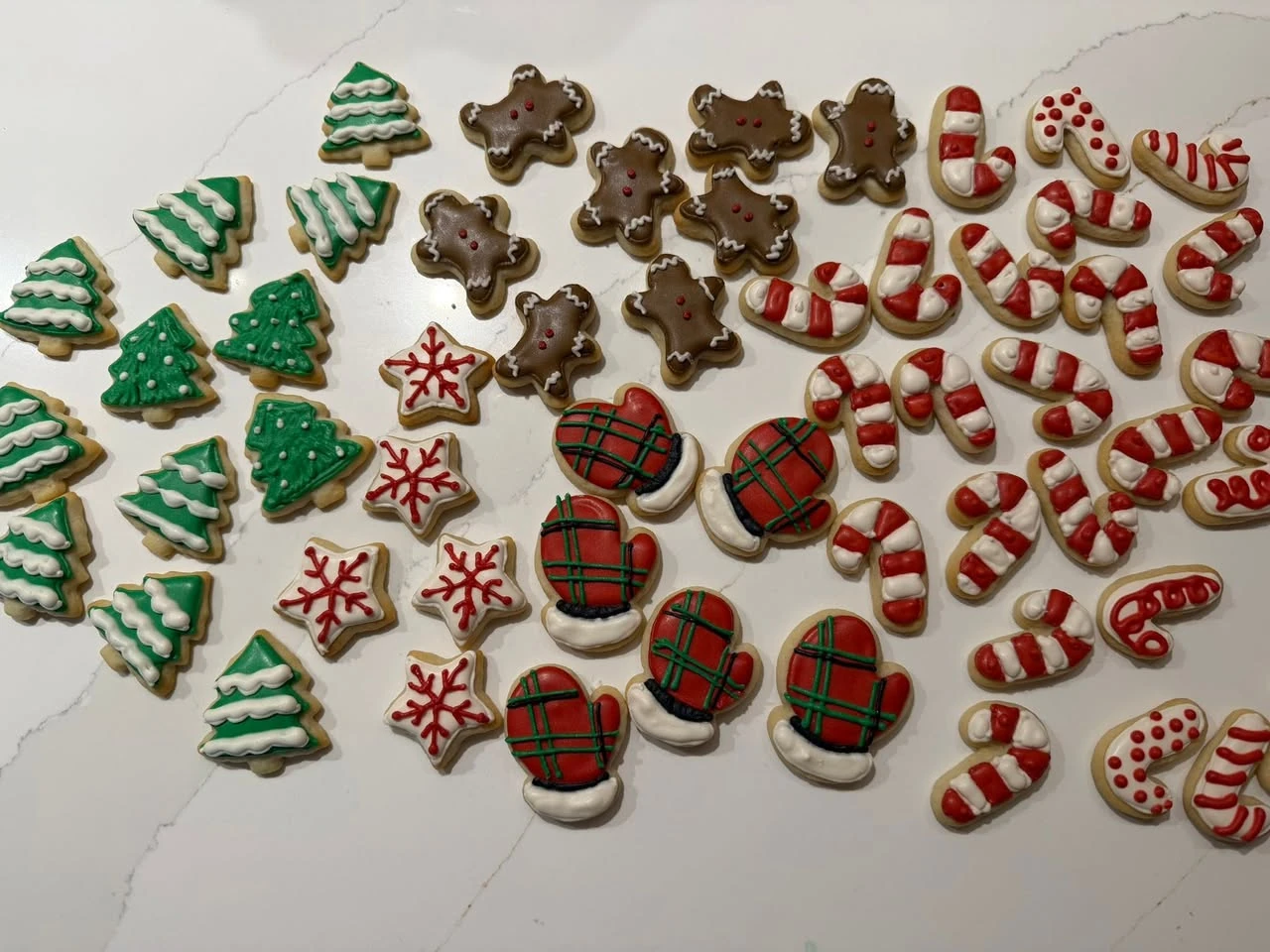
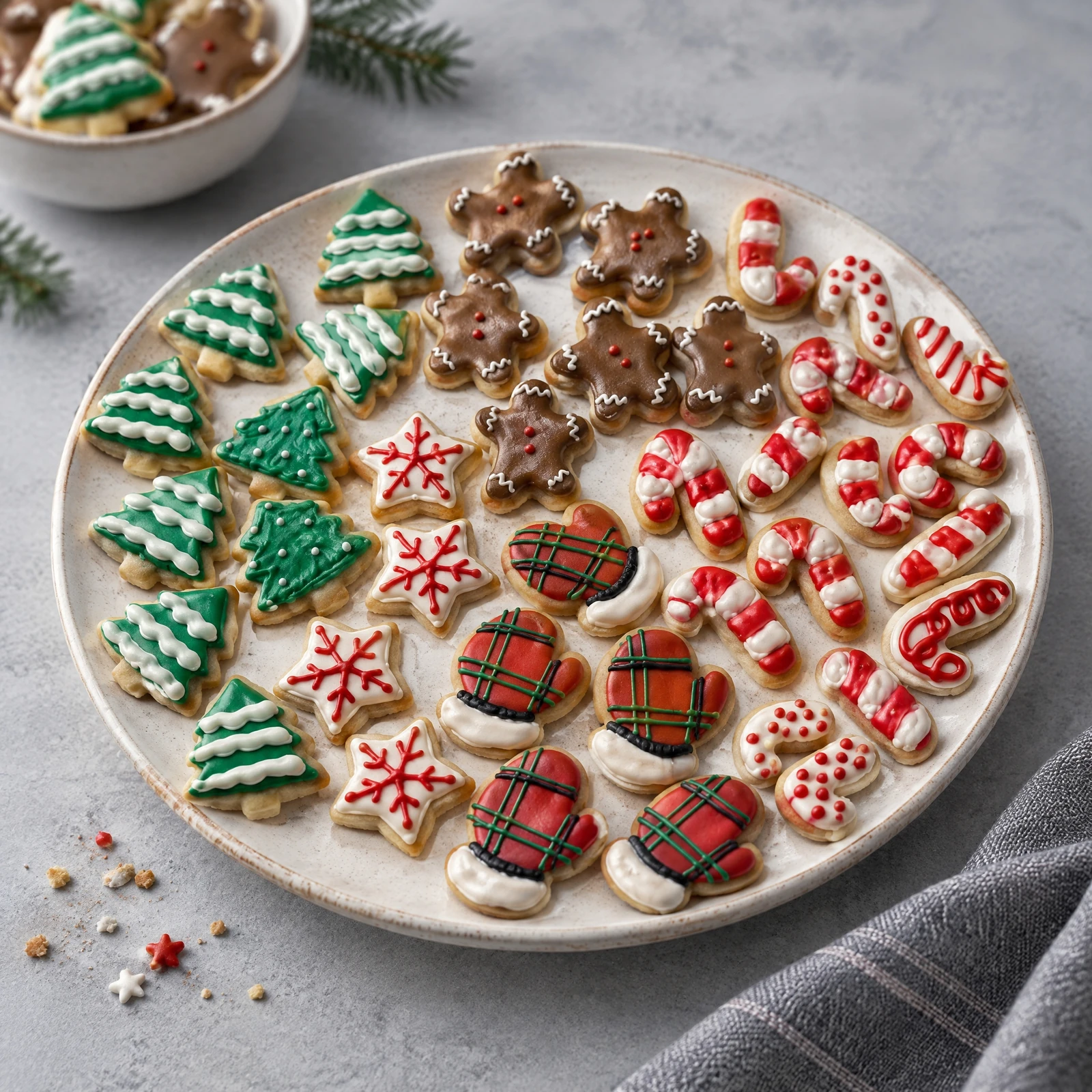
A scene edit to reject for product advertising. AI added a separate bowl of cookies and regenerated some food details and edges. Do not present the entire result as the exact set a customer will receive. It is also not a six-cookie gift box.
What to do with an edited photo
Keep the original. If a customer ever questions a photo, the unedited file settles it quickly. It's also handy a year from now when you want to redo the edit.
Say what changed, briefly. You don't need a paragraph of disclaimers. A line at the end of the caption works: "Background edited, cookies as baked." Some bakers put the same note in the image's alt text. Our guide to disclosing edited food photos has more lines you can copy.
Don't rely on the platform to label it for you, and don't try to get around it either. Meta adds an "AI info" label when it detects industry-standard AI signals in a file or when the poster discloses it, and since September 2024 it shows that label in the post's menu for images that were only edited with AI tools (Meta). Those rules keep changing, and they don't catch everything. Your own note is the one you control.
How we handle this at Chefolio
As the note at the top says, we make an editing tool, so here's where we stand. Chefolio changes the background, light, and setting around your food, and it's built to leave the piping, colors, and count you baked untouched. We think that's the only kind of AI editing a baker should use on photos customers order from.
Built to isn't the same as guaranteed, though. Before you post anything from Chefolio, or from any editing app, put it next to the original and check three things: the icing colors, the details of the design, and the number of cookies. If something changed, throw that version out.
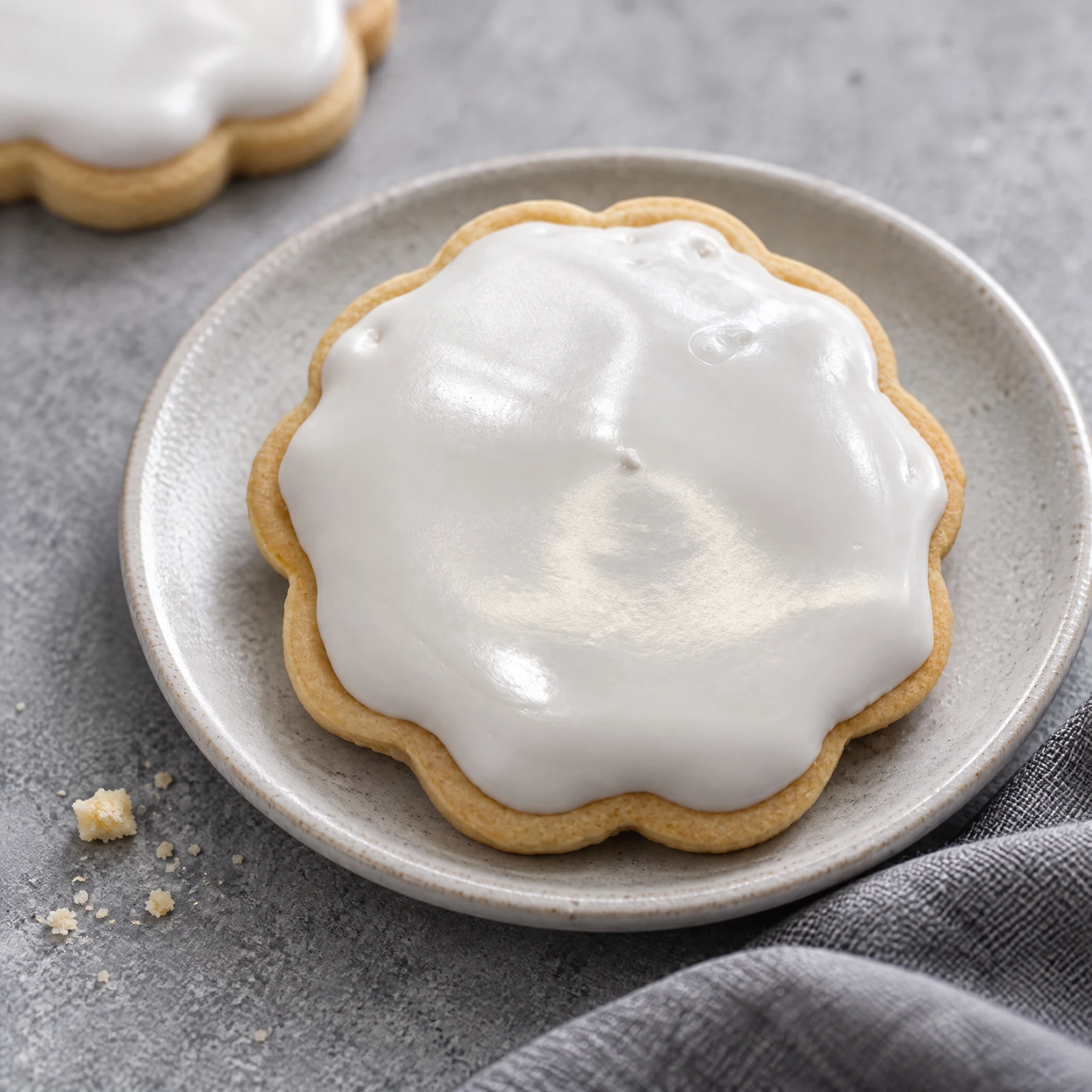
Source photograph and Chefolio AI output. The plate, cloth, crumbs and background cookie are generated scene elements. Compare the foreground cookie’s outline, icing texture and color with the source; this is not evidence that the food stayed pixel-for-pixel unchanged.
If you'd like to see how it handles your own photos, bring one you took at night on the kitchen counter. That's where the difference shows most:

No comments yet