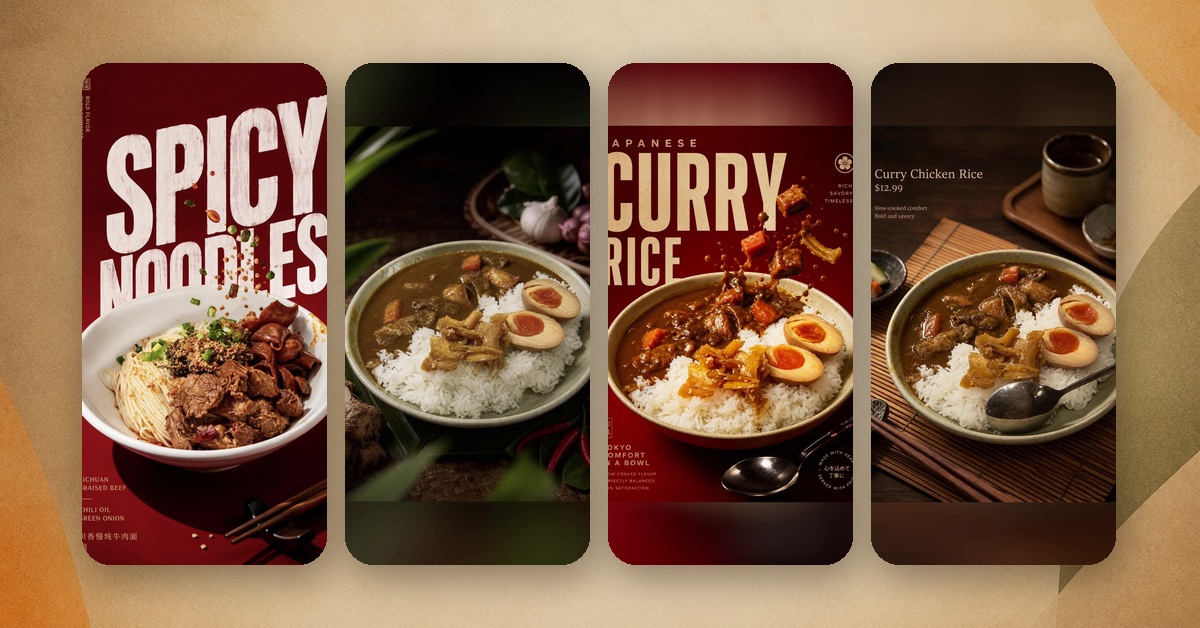
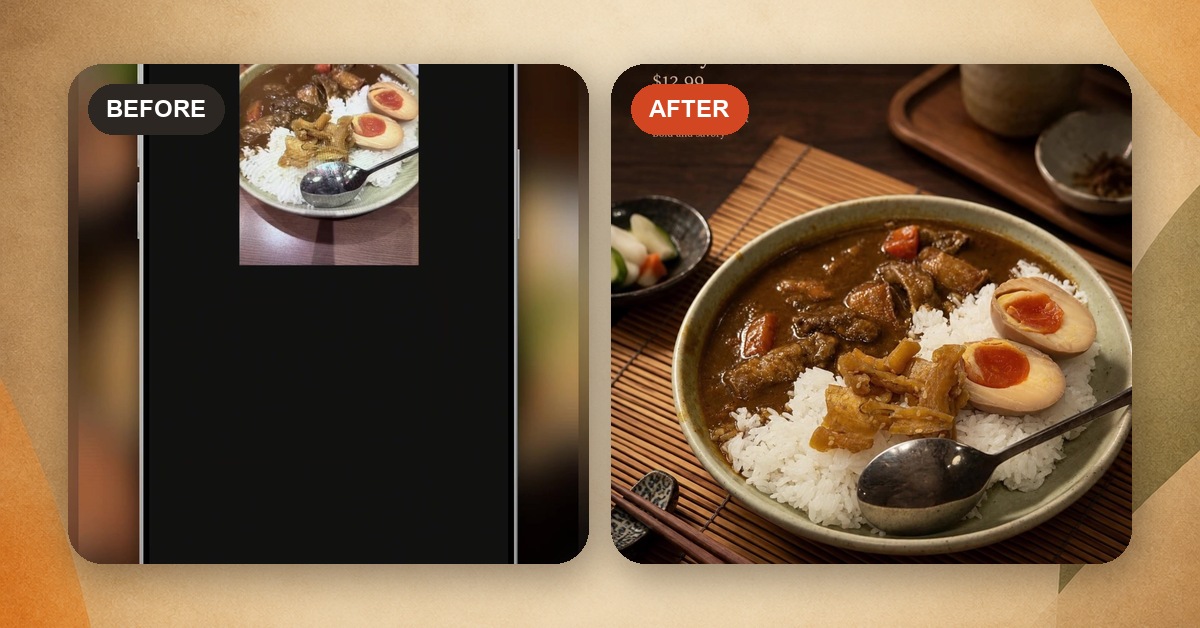
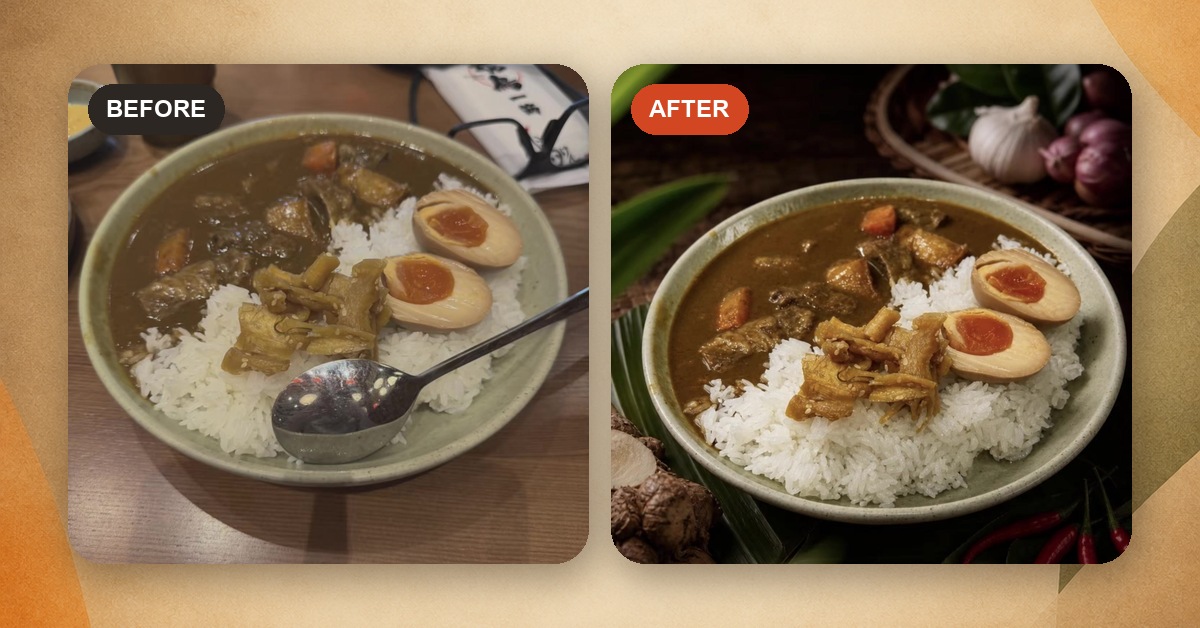
A note from Chefolio: we make an app that edits food photos. It's built to change the background and light around the food, not the food itself, and we label the photos we edit.
As the note above says, Chefolio is ours, and it's one of the tools on this list. We've tried to write the comparison we'd want to read if we were the ones buying. We rechecked public websites and linked App Store listings on October 2, 2026. Prices below are in U.S. dollars; billing terms and app-store pricing can differ, so check the checkout before you pay.
We haven't yet run the same photo through all five tools and published the results. When we do, we'll add them here. Until then, the most useful test is one you run yourself, and there's a 15-minute version at the end of this post.
What these tools do, and what they shouldn't
All five offer workflows that start from a photo you took. You upload it, pick a look, and the tool changes the lighting, background, and setting. Some also let you change the plate or add elements, so check the controls as well as the result. Most offer exports for menus, delivery apps, or social posts.
That's different from asking a general AI image generator for "a plate of pad thai." Those invent food, which can misrepresent what a business serves. Delivery apps require accurate photos of the actual item. Grubhub also told 404 Media in 2024 that it would remove AI-generated menu images (404 Media). Starting with a real photo is no guarantee: RestoPhoto's own FAQ warns that AI can alter dish details. Ingredient and portion accuracy are what you should test.
The comparison
Feature | Chefolio | FoodShot | FoodStage AI | RestoPhoto | FoodPhoto.ai |
|---|---|---|---|---|---|
Starts at | iPhone: $9.99/mo or $79.99/yr; credit packs from $4.99 | Web: $15/mo, or $9/mo billed yearly (25 credits) | $15 for 10 images; plans from $29/mo billed yearly | $29.99/mo (40 photos) | $15/mo; $5 for 10 photos |
Free option listed | Free download with in-app purchases; generation allowance not specified here | No free web tier advertised; eligible iPhone users get a 3-day weekly subscription trial that auto-renews | 3 free images, no card | First photo free, no card | 2 watermarked previews per verified account, no card |
Where it runs | Web, iPhone (iOS 26+) | Web, iPhone, Android | Web (installable) | Web, iPhone, Android | Web, iPhone (iOS 26+) |
Adds dish name and price | Yes | Yes (Poster Mode) | Not advertised | Posts and branding advertised; photo price fields not confirmed | Yes, templates with price fields |
Beyond photos | Exports up to 4K | 2K output; 2x upscale available | Up to 50 dishes at once in one style; brand profiles | Short videos; QR menus on Growth plan and up | Updatable QR menu; text menu and PDF; 5-second videos on Pro and Studio |
Sources: Chefolio U.S. App Store, FoodShot website and iPhone listing, FoodStage AI, RestoPhoto, and FoodPhoto.ai pricing. Chefolio prices shown are iPhone in-app purchases; the competing subscription prices are from their websites. Free download doesn't necessarily mean free image generation. RestoPhoto's FAQ mentions a QR menu in Starter, while its pricing section says Growth and up; the table follows the pricing section.
Who each one suits
FoodShot runs on the web, iPhone, and Android. Its U.S. App Store listing showed 4.9 from 36 ratings when we checked. It uses credits and has a Poster Mode for text. If you want to work across a browser and both major mobile platforms, it belongs on your shortlist.
FoodStage AI is built around doing a whole menu in one pass: up to 50 dishes in one consistent style, with unlimited brand profiles on its Business plan. That makes it worth trying for agencies and multi-location groups. It advertises three free images with no card. Its public site describes a browser-based workflow.
RestoPhoto combines photos, short videos with voiceover, QR menus, and review links for clients. Starter is $29.99 a month for 40 photos and three reels; the pricing section places QR menus on Growth and Pro. If narrated social videos are part of your routine, those bundled features may be useful.
FoodPhoto.ai has 30 marketing layouts with spaces for a headline and price, including Daily Special and Lunch Combo, plus an updatable QR menu. Its photo packs start at $5 for 10 photos; subscriptions start at $15 a month. Pro and Studio also offer five-second videos made from a source photo. It runs on the web and iPhone; the iPhone app requires iOS 26.
Chefolio is ours. It's built for turning one dish photo at a time into a menu or social image, with the dish name and price on it. You pick from built-in styles, including cuisine-specific ones like Thai, Japanese, Korean, and Bakery, so there's no prompt to write. Exports go up to 4K, which matters if you print. The web app takes up to 20 photos at once.
What Chefolio doesn't do yet: video, QR menus, full-menu layouts, or uploading your own brand style. There's no Android app, and the iPhone app needs iOS 26 or later. The web app works in any modern browser, so it's the way in for Android users and older iPhones.
Free options you might already have
Before paying for anything, check what's already in your hands.
If a photo is only for DoorDash, DoorDash's own photo editor can auto-enhance it, crop it, swap in a new background, and strip out text, all inside the merchant portal (DoorDash). Most DoorDash restaurant partners whose menus don't have professional photos can also book a free 1.5-hour shoot covering up to 20 items. DoorDash pays the photographer; you pay for the food and the labor (DoorDash).
Uber Eats now uses AI on its end to improve low-quality food photos, adjusting lighting, resolution, framing, and plating (Uber).
For text and layout, Canva's free plan covers a lot. For light and color, your phone's built-in editor is better than most people give it credit for. And if what you need is a full printed menu, layout tools like MustHaveMenus and iMenuPro do that job well, though neither does AI photo editing.
A paid AI editor earns its keep when you need the same clean look across a lot of dishes and channels, faster than you could manage by hand.
How to test any of them in 15 minutes
Pick one of your own photos with details that are easy to check: a garnish, a drizzle of sauce, an exact number of shrimp. Run it through the free option of each tool you're considering. Then put each result next to the original and ask:
- Did any ingredient appear or disappear?
- Did the portion get bigger?
- Did the plate or bowl change shape?
- Does the texture still look like food, or has it gone glossy and plastic?
- Would you be comfortable if a customer held the original up next to it?
The last question is the one that decides it. A tool that gives you a gorgeous photo of food you don't serve will cost you money, however cheap it is.
If you want to include Chefolio in your test, you can start in your browser or on iPhone.
Create your food photo · Download for iPhone
The iPhone app requires iOS 26 or later. The web app works in a modern browser.
No comments yet