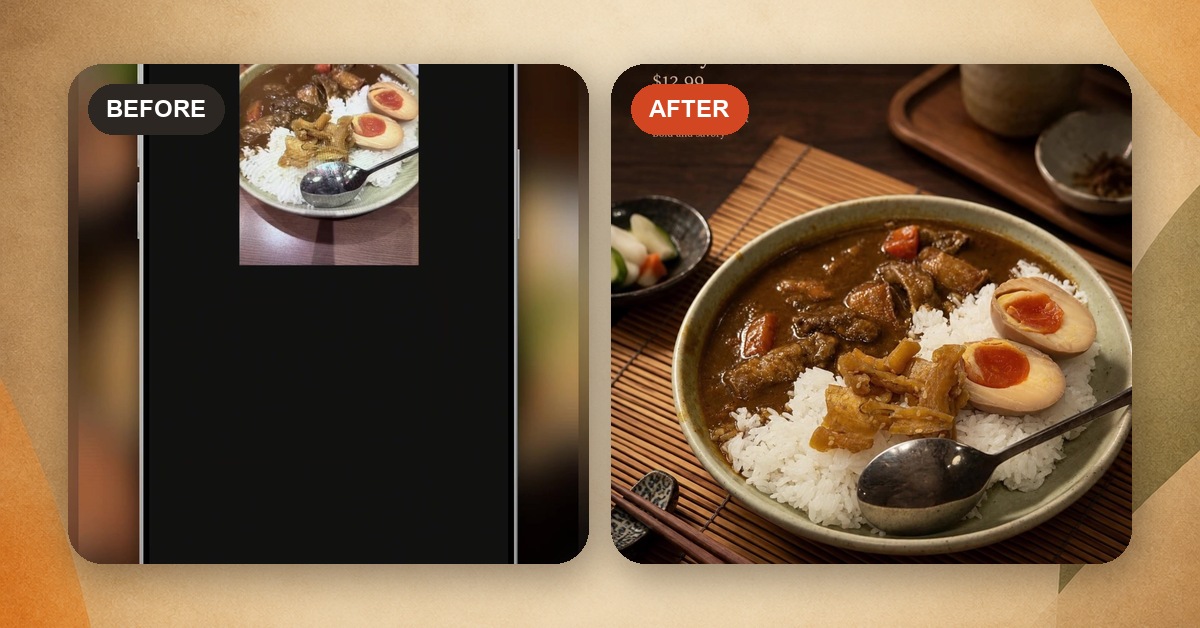
A note from Chefolio: we make an app that edits food photos. It's built to change the background and light around the food, not the food itself, and we label the photos we edit.
"AI food photo" has come to mean two very different things, and most of the arguments about it happen because people are talking about different ones.
The first is a generated image: you type "crispy chicken sandwich" into an image generator and it invents one. That sandwich has never existed, and it certainly isn't the one your kitchen makes.
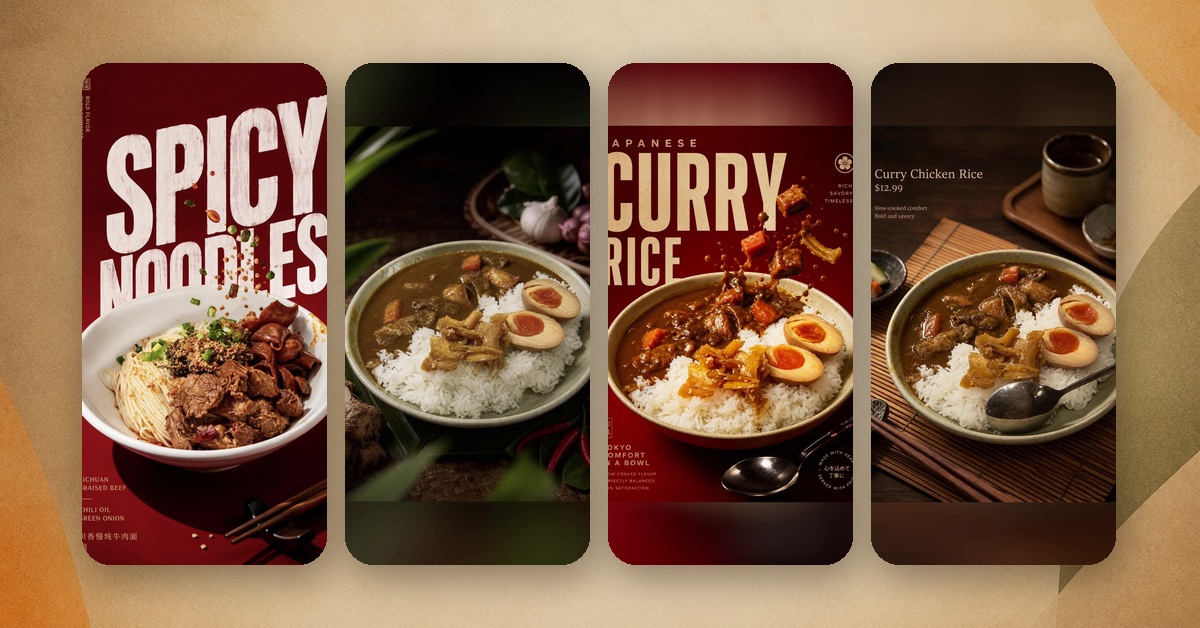
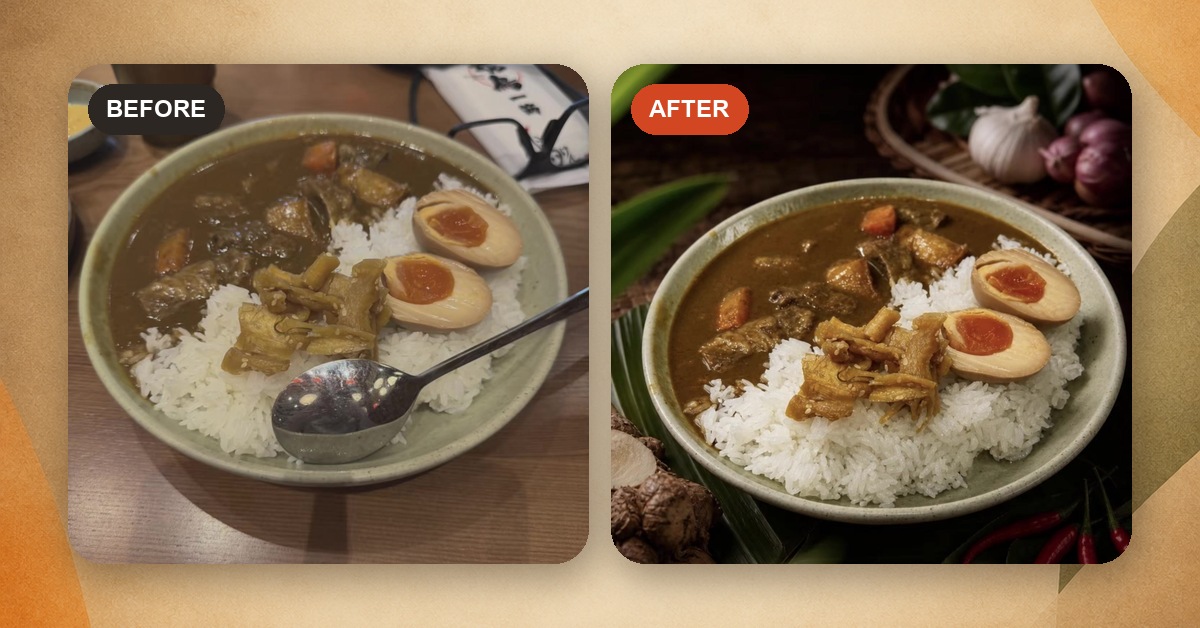
The second is an edited image: you start with a real photo of your real dish, and AI changes the light or the background around it. The aim is to keep the food on the plate intact, but you still need to check the result.
The distinction matters, but starting with a real photo doesn't guarantee an acceptable result. Delivery platforms use editing tools themselves, while still requiring accurate pictures of the item served.
What the platforms say
DoorDash requires an original photo that accurately shows the actual item and portion served. It also bans added text, graphics, and borders on item photos (DoorDash). At the same time, DoorDash's built-in photo editor offers auto-enhance and lets merchants apply new backgrounds (DoorDash).
Grubhub told 404 Media in 2024 that it did not allow AI-generated images and would remove them from merchants' menus. That is a reported statement from 2024; confirm the current rules in your merchant account (404 Media).
Uber says it is "using AI to detect and enhance low-quality food images," improving lighting, resolution, framing, and plating (Uber).
Google asks that Business Profile photos have "no significant alterations or excessive use of filters," because "the image should represent reality" (Google).
Our reading: use a real, accurate photo, and keep added text off DoorDash and Uber Eats item images. A platform offering its own editor doesn't mean it approves every third-party AI edit. On Google, we'd post real photos with light touch-ups only.
What the backlash stories have in common
This year brought a string of small food businesses into the news for AI images.
In May, Myer's Bagels in Burlington, Vermont, posted AI-generated promotional images, including one showing a rearranged version of its shop. Regulars noticed, the comments and Google reviews turned sour, and the owner apologized and took the images down (PetaPixel).
In July, a café on Haight Street in San Francisco put a board of AI-generated food photos in its window. After a Reddit post mocking it went viral, someone spray-painted the storefront, and the owners replaced the board with a display of real pastries (PetaPixel).
Both involved generated promotional images, and customers objected to them. A 2024 study by Giovanbattista Califano and Charles Spence helps explain why disclosure matters: participants rated AI food images as more appetizing when their origin was undisclosed, but rated real and AI images similarly when told how they were made. The researchers also observed AI adding abundance, such as more fries or whipped cream (University of Oxford).
That last point matters even for edited photos. Fake food is one risk. Real food made quietly bigger, glossier, or richer than what shows up at the table is another, and it's harder to spot.
A safe way to use AI editing on a menu
If you use AI to edit menu photos, these rules keep you on the right side of the platforms and your customers:
- Start with a real photo of the real dish, plated the way you serve it.
- Let the edit change the light and the background. Nothing on the plate should change.
- Compare every result with the original: portion, sides, garnish, sauce, and the plate itself.
- Keep delivery app versions plain, with no text and no props that suggest extra items.
- On Google, post the real photo with light touch-ups only.
- When you post a styled version on social, say so in the caption. "Photo edited, dish as served" is plenty.
- Keep the originals.
Step 3 is the one people skip, and it's the one that catches problems. In our own review of five before-and-after edits, one added a sauce pour that wasn't in the original. We wouldn't have posted it, and we only caught it because we looked.
Where Chefolio stands
Chefolio edits; it doesn't generate. You start with your own photo, choose a built-in style, and the app changes the setting and light around the dish. Even so, check every result before it goes on a menu. A tool's intentions don't count for much if a garnish sneaks in.
You can try it on a dish from your menu with Chefolio.
Create your food photo · Download for iPhone
The iPhone app requires iOS 26 or later. The web app works in a modern browser.
No comments yet