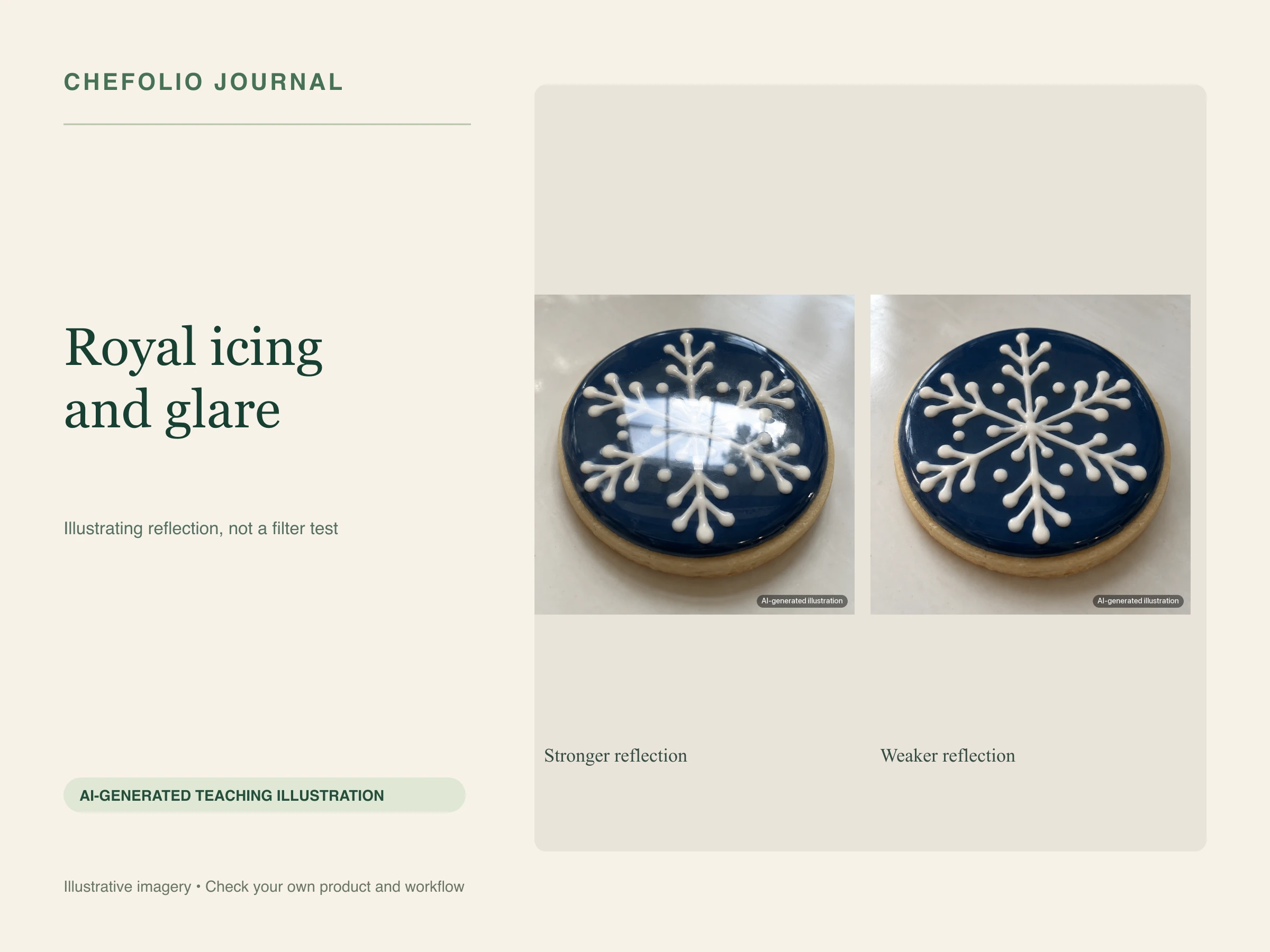
A note from Chefolio: we make an app that edits food photos. Chefolio is designed to change lighting and backgrounds, but an AI edit can also change the food. We label our edits and check them against the source.
Teaching examples: AI-generated setups and comparisons below illustrate the ideas. They are not records of physical photography tests, and their food details may differ between panels.
You spent an hour on the wet-on-wet flowers, and in the photo half of them are hidden under a white streak of glare. It's one of the most common complaints about cookie photos, and it has a simple cause.
Glossy icing behaves like a mirror. Light bounces off it at the same angle it arrives, so if the reflection of your window or lamp happens to line up with your phone's lens, you get a bright patch instead of your design. Fixing glare is mostly a matter of moving that reflection somewhere the camera can't see it.
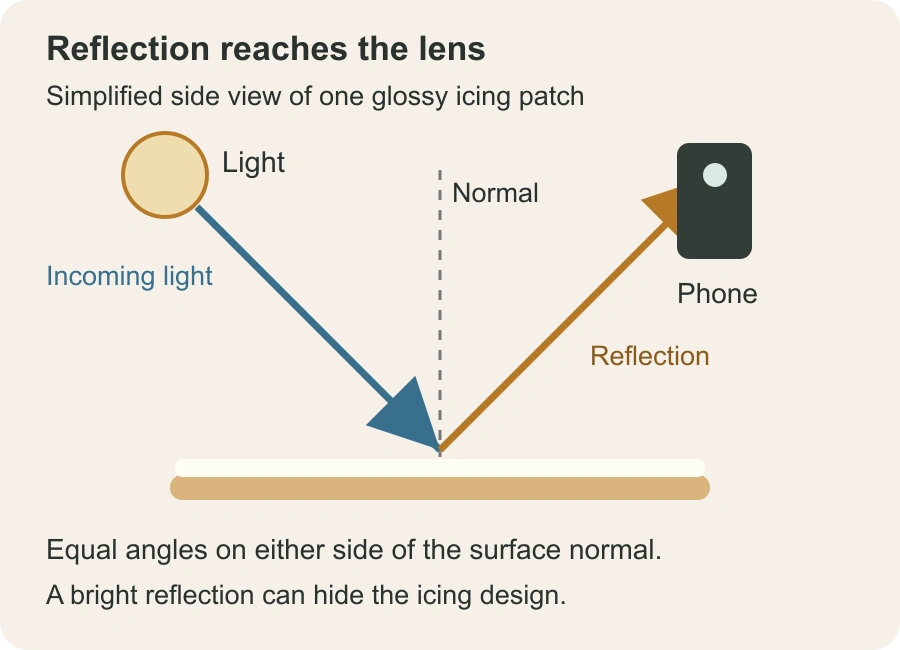
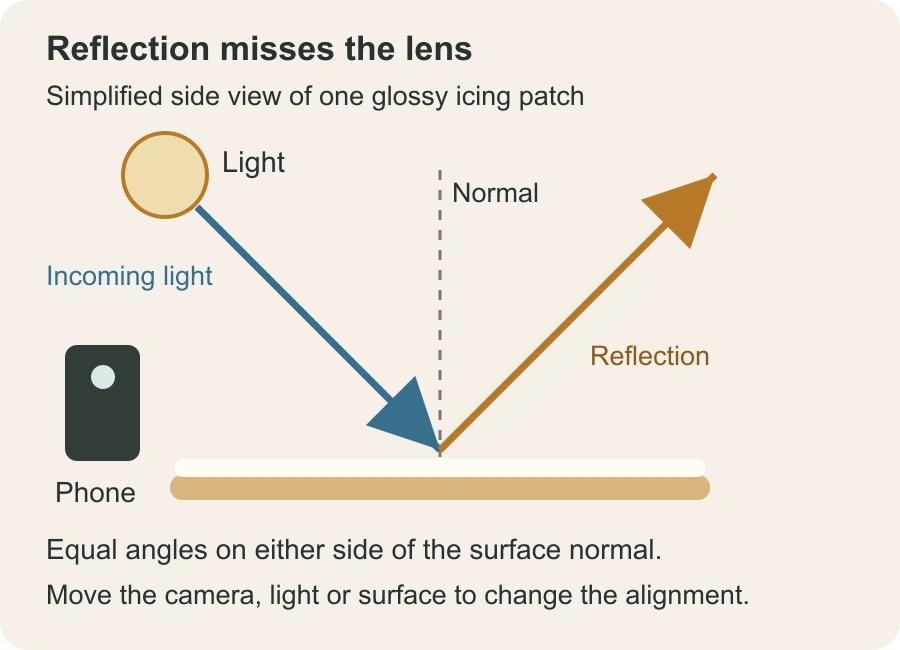
Native diagram of a simplified glossy patch. Incoming and reflected rays make equal angles to the local surface normal. A side view makes that geometry visible; curved icing and large windows produce a range of reflections, so use the camera preview to find a better position.
Move the light, or move yourself
Start by finding the glare's source. Hold your phone where you'd shoot from and look at the shiny spot on the cookie. You'll see a small reflection of the window, the lamp, or the ceiling light in it.
Then change the angle. If you're shooting from the front with the light behind you, the reflection comes straight back at the lens. Put the light to one side instead, and shoot from the other side. For overhead shots, keep the window to the side and tilt your board a few degrees away from it. A small tilt moves the reflection a long way.
Turn off the ceiling light. It's often the second, sneakier reflection, the one you only notice after the main one is gone.
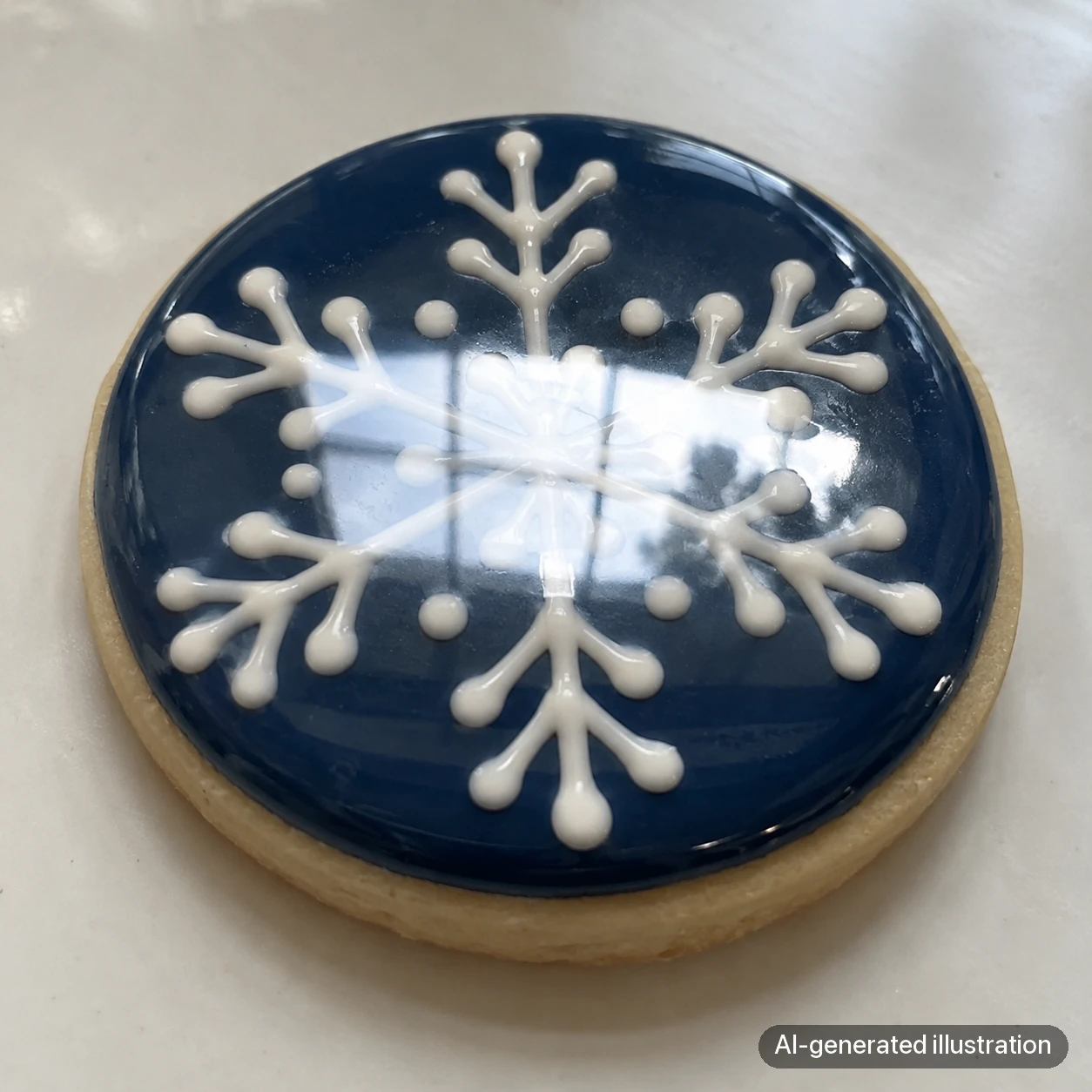
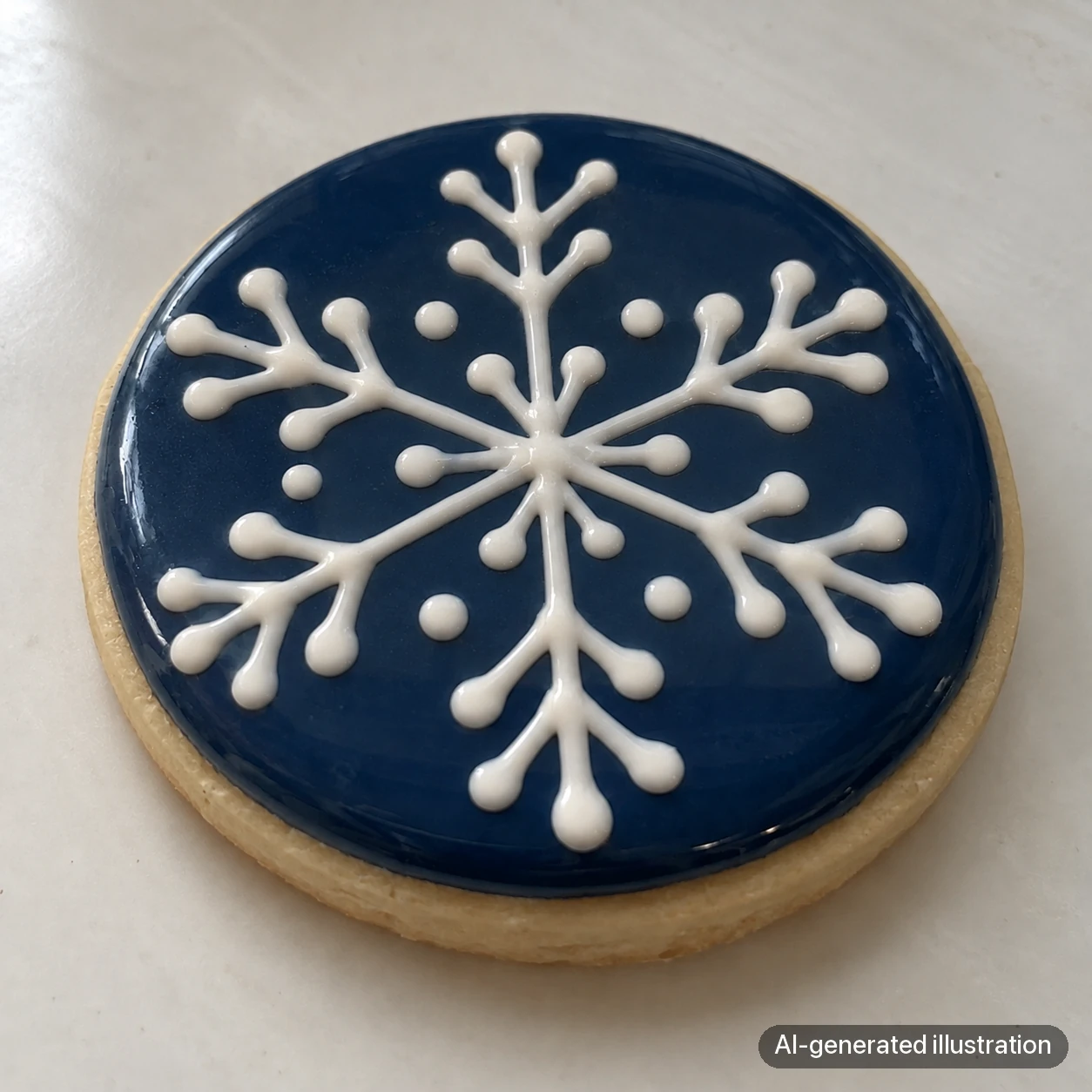
AI-generated reflection concepts. The images show the difference between a dominating highlight and a visible design; they do not document moving a real lamp, tilting a real board, or testing the same cookie.
Make the light bigger and softer
A small, bare light makes a small, bright hot spot. A larger light can spread the reflection into a broader sheen, though it can still glare if the camera lines up with it.
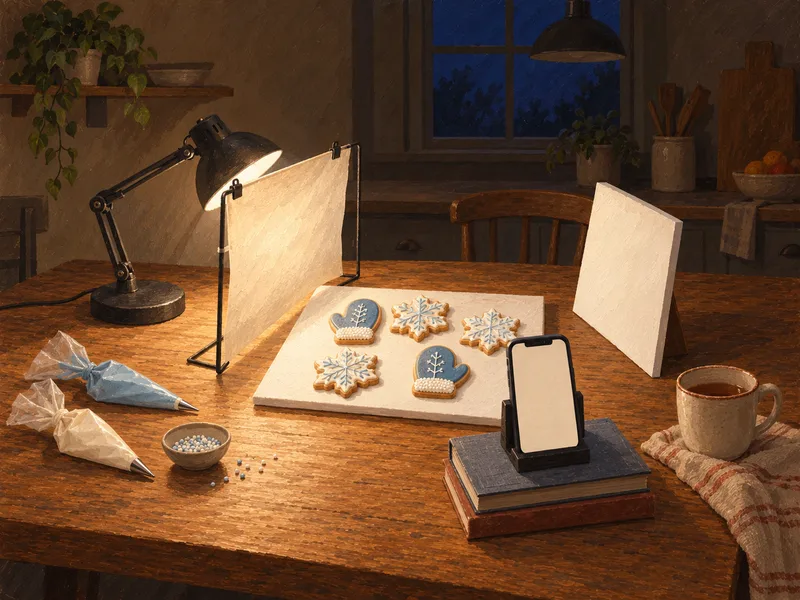
Tape parchment or tracing paper over the window, or put a sheet of it between your lamp and the cookies. Diffusion makes the apparent source larger and can soften the reflection. Check the preview; you may still need to move or tilt the board.
This is the same reason overcast days are so good for photographing cookies.
Watch what else the icing reflects
A glossy surface reflects everything in front of it, not just the lights. Your hand, your phone, a red cabinet door, and the dark window behind you can all show up as shapes in the icing.
If you see a dark smudge in the sheen, that's usually you or your phone. A white card held just outside the frame can replace it with a clean white reflection. If the reflections are too bright, a piece of black card does the opposite and dims them.
Try a polarizing filter
A clip-on polarizer can reduce some reflections from glossy icing. Fit it over the camera lens, watch the preview, and rotate it until the distracting glare drops the most.
The effect depends on the angle between the light, icing and camera; a polarizer may help a lot in one position and very little in another. Check the colored icing too, and don't expect the filter to remove every reflection.


AI-generated concepts of stronger and weaker reflections. No polarizing filter was tested for this pair, so it cannot demonstrate a filter’s measured effect. Try an actual filter at your shooting angle and rotate it while watching the preview; the result depends on the light and icing surface.
Lower the exposure
Tap on the cookie to focus, then drag the exposure slider down a little. Glare turns into a clipped white patch when it's overexposed. Pulled back slightly, the same highlight often keeps some texture.
Keep a little shine
Don't chase the glare to zero. A soft sheen tells people this is icing, glossy and fresh. Cookies with every bit of shine removed can look like a printed picture of a cookie. What you want is the design fully visible, with a soft highlight along one edge.
If the glare is already in the photo
Editing can't bring back detail that the glare wiped out. If the flowers are under a white streak in every frame, reshoot. It's the one problem where going back to the cookies is faster than any app.
If the glare is mild and the real problem is the background or the light, Chefolio can relight the photo and replace the setting around the cookies. Compare the result with your original and make sure the design, colors, and shine match what the customer will get.
To try it on one of your cookie photos:



No comments yet