A note from Chefolio: we make an app that edits food photos. Chefolio is designed to change lighting and backgrounds, but an AI edit can also change the food. We label our edits and check them against the source.
Teaching examples: AI-generated setups and comparisons below illustrate the ideas. They are not records of physical photography tests, and their food details may differ between panels.
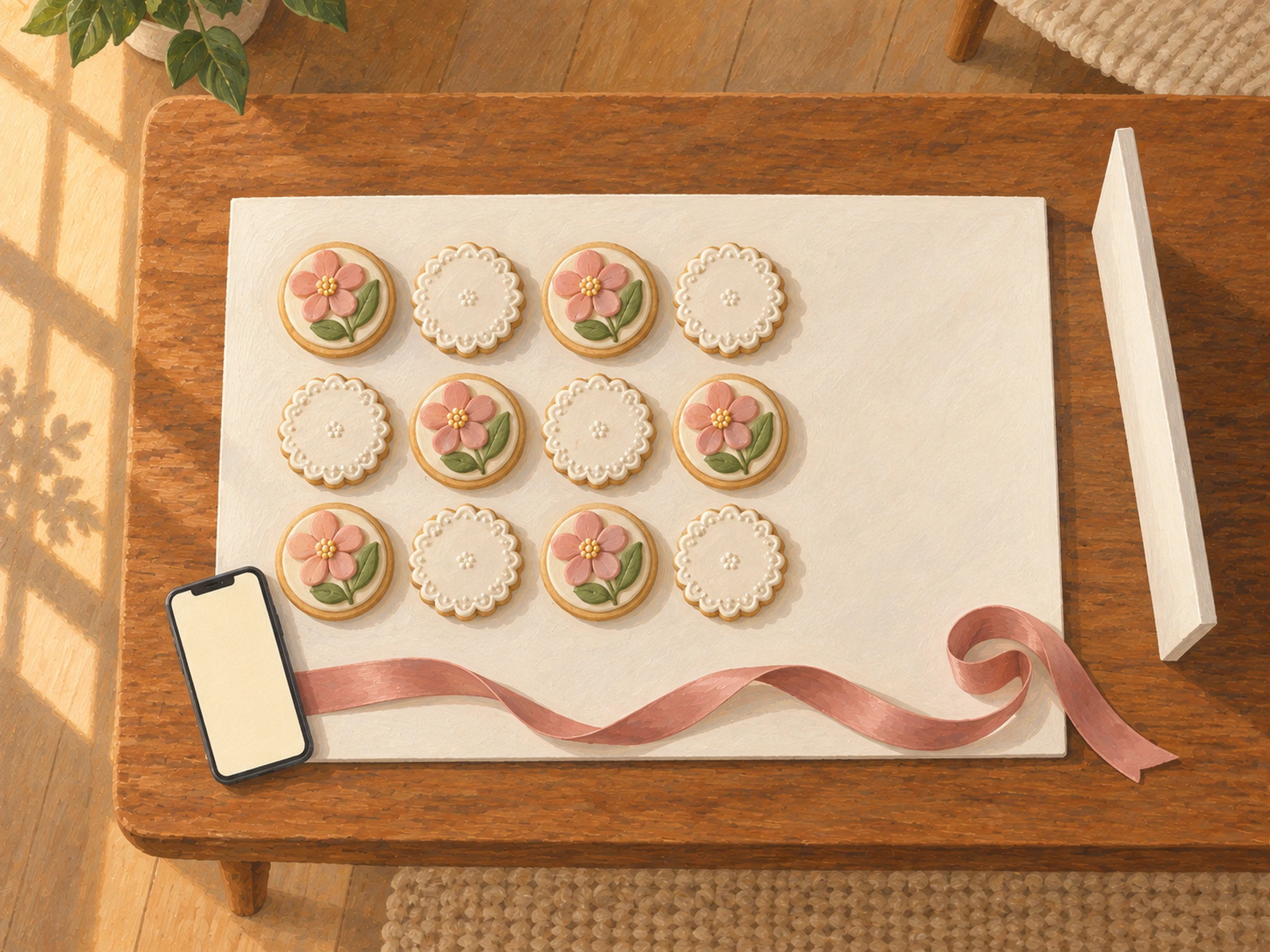
A flat lay is the straight-down photo of a whole set, laid out like a menu. For decorated cookies it's often the most useful photo you can take. It shows every design at once, it's easy to add text to, and it works as a price list, a preorder announcement, and a gift-guide post.
It also has a reputation for being fiddly. It doesn't need to be. Here's a setup that takes about ten minutes once you've done it twice.
Minutes 0 to 2: find a low surface by a window
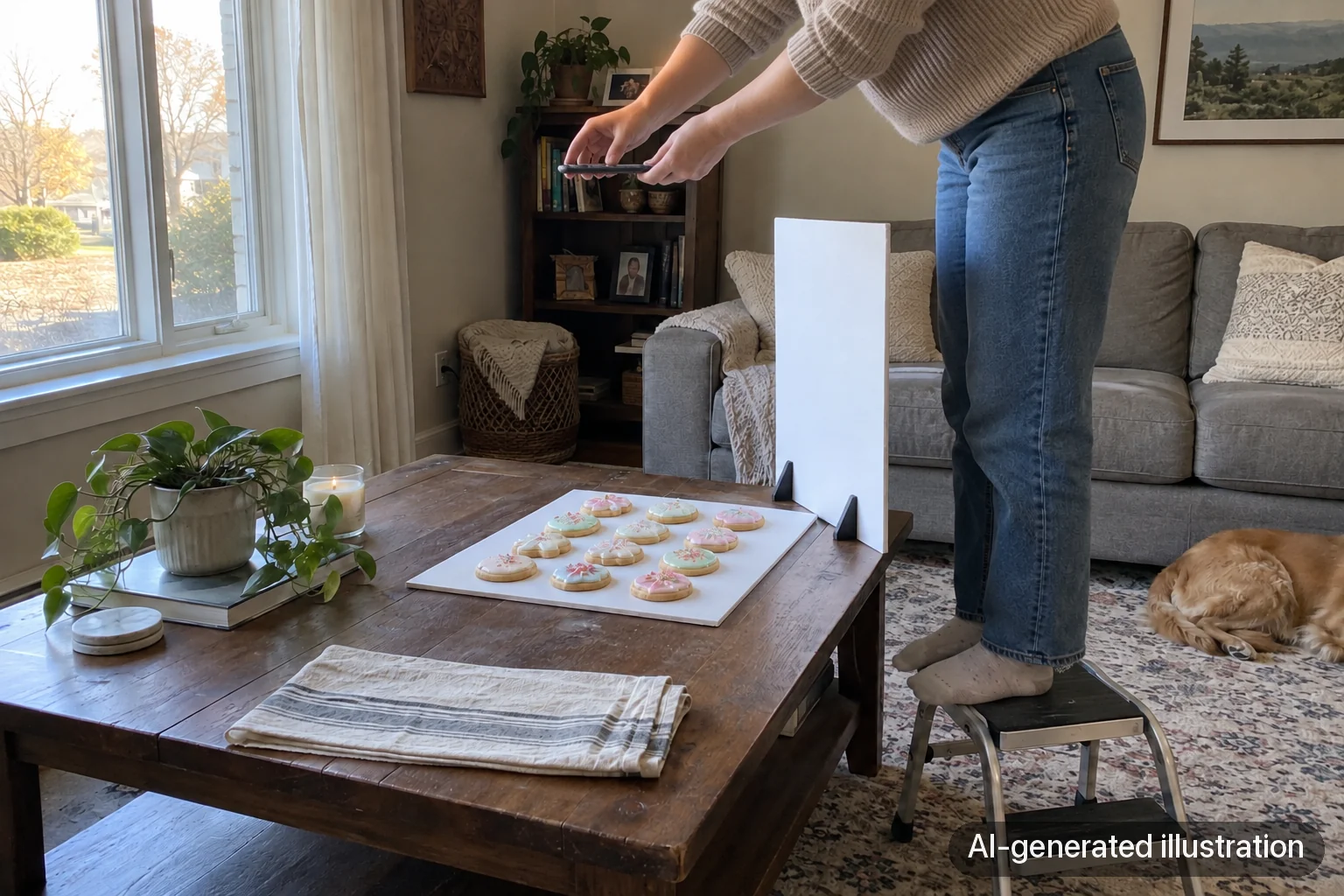
You need to get directly above the cookies, so work low. A coffee table, a chair seat, or a board on the floor next to a window is easier than the kitchen counter. If the counter is your only option, use a sturdy step stool, not a wobbly chair.
The window should be to one side of the cookies, not behind you. Turn off the overhead lights.
Minutes 2 to 5: arrange the set
For a matching set, a neat grid looks clean and reads like a menu. For a mixed box, try a loose diagonal, which keeps the eye moving across the frame.
Rotate every cookie so its design faces the same way. People rarely notice it when it's right, but they notice when it's wrong.
Leave empty space on one side, usually the top or the side away from the window. That's where the set name, price, or order date goes later.
One prop is plenty: a ribbon, a gift tag, or a few loose sprinkles at the edge. The cookies are already busy.
Minutes 5 to 7: fix the light
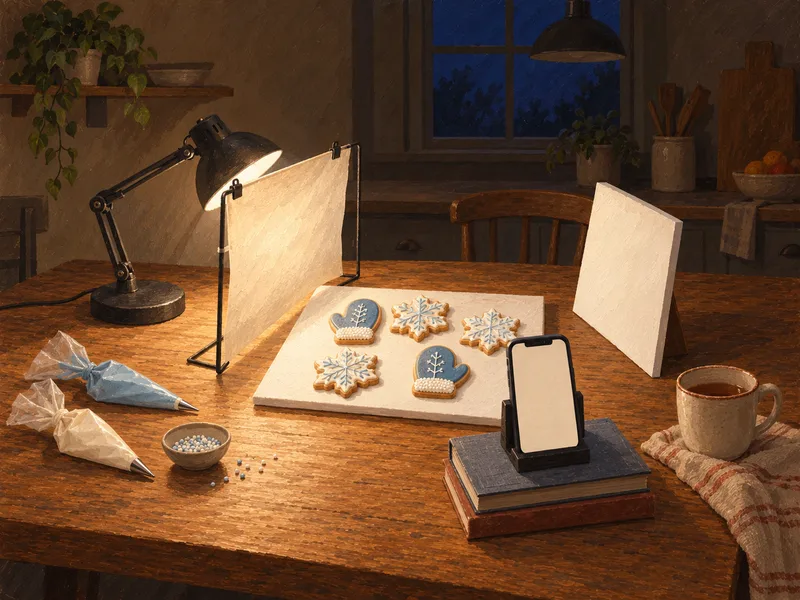
Stand where you'll shoot and look down. The most common flat lay problem is your own shadow falling across the cookies. Step to the side opposite the window so your body doesn't block the light.
Prop a white foam board on that same side, facing the cookies. It bounces window light back into the shadows under each cookie.
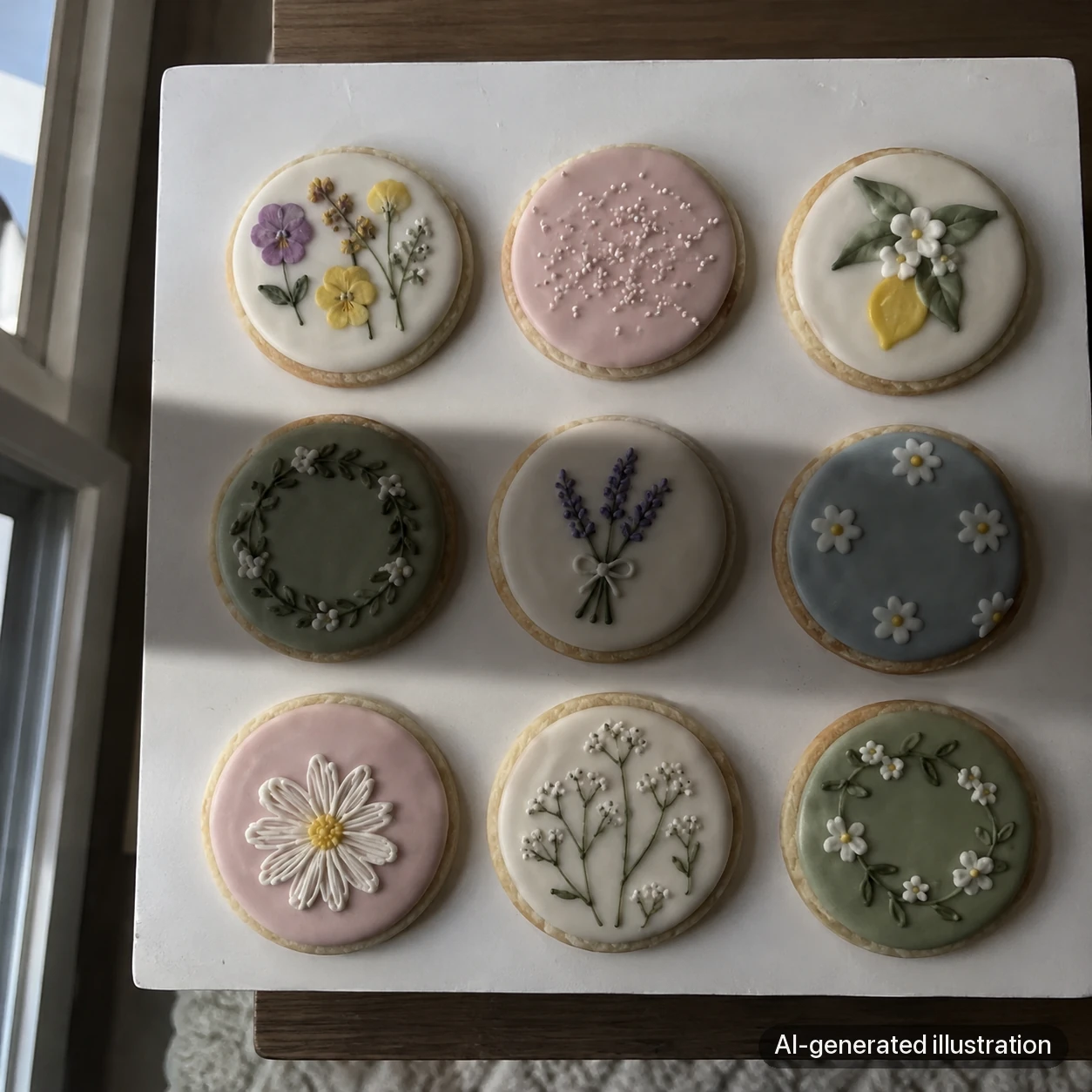
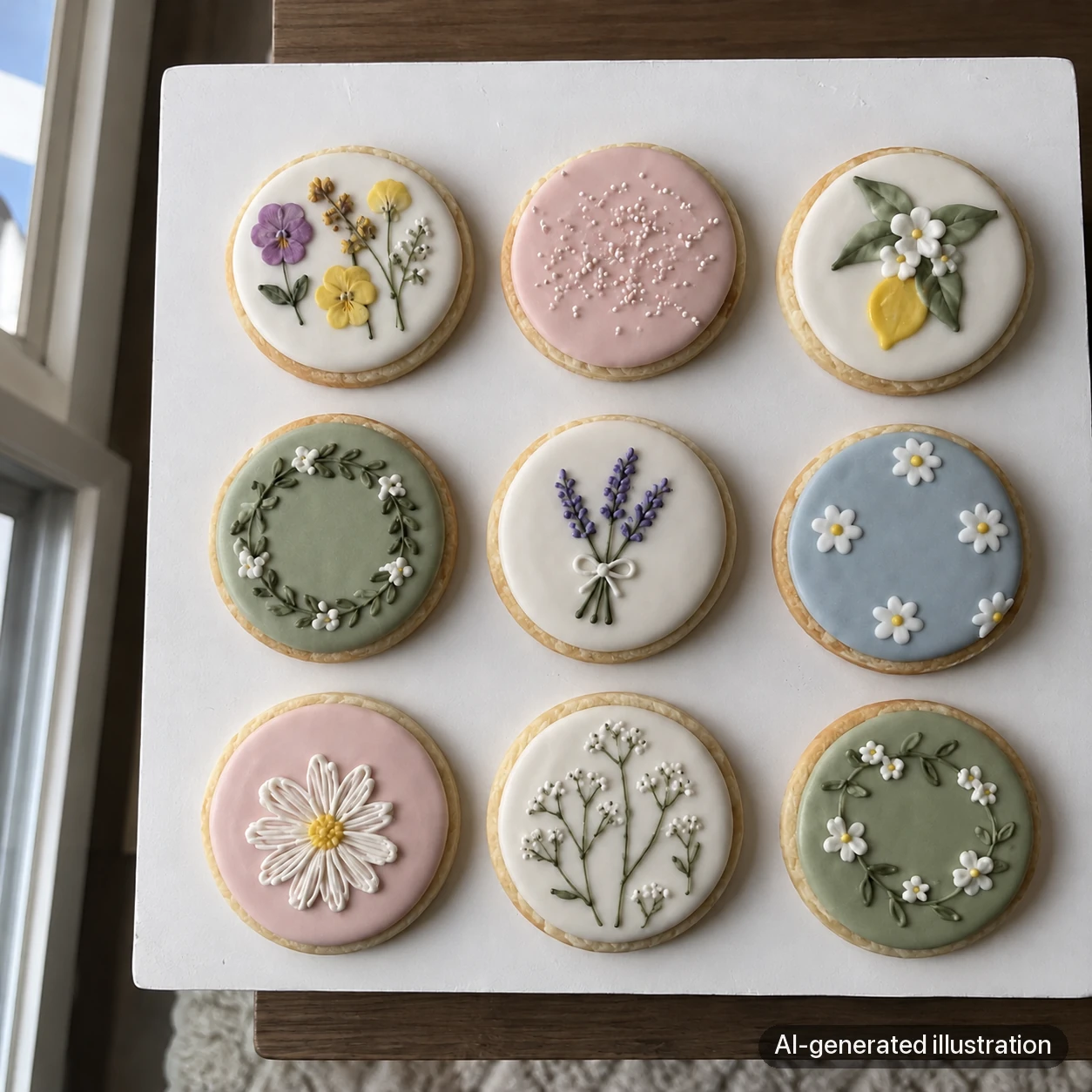
AI-generated shadow concepts, not a before-and-after physical test. If a dark band follows you as you move, change your position so your body stops blocking the window; check the live view rather than expecting this exact result.
Minutes 7 to 9: get the phone level
A tilted phone makes the cookies at the top of the frame look smaller than the ones at the bottom, and the whole set looks like it's sliding off the table.
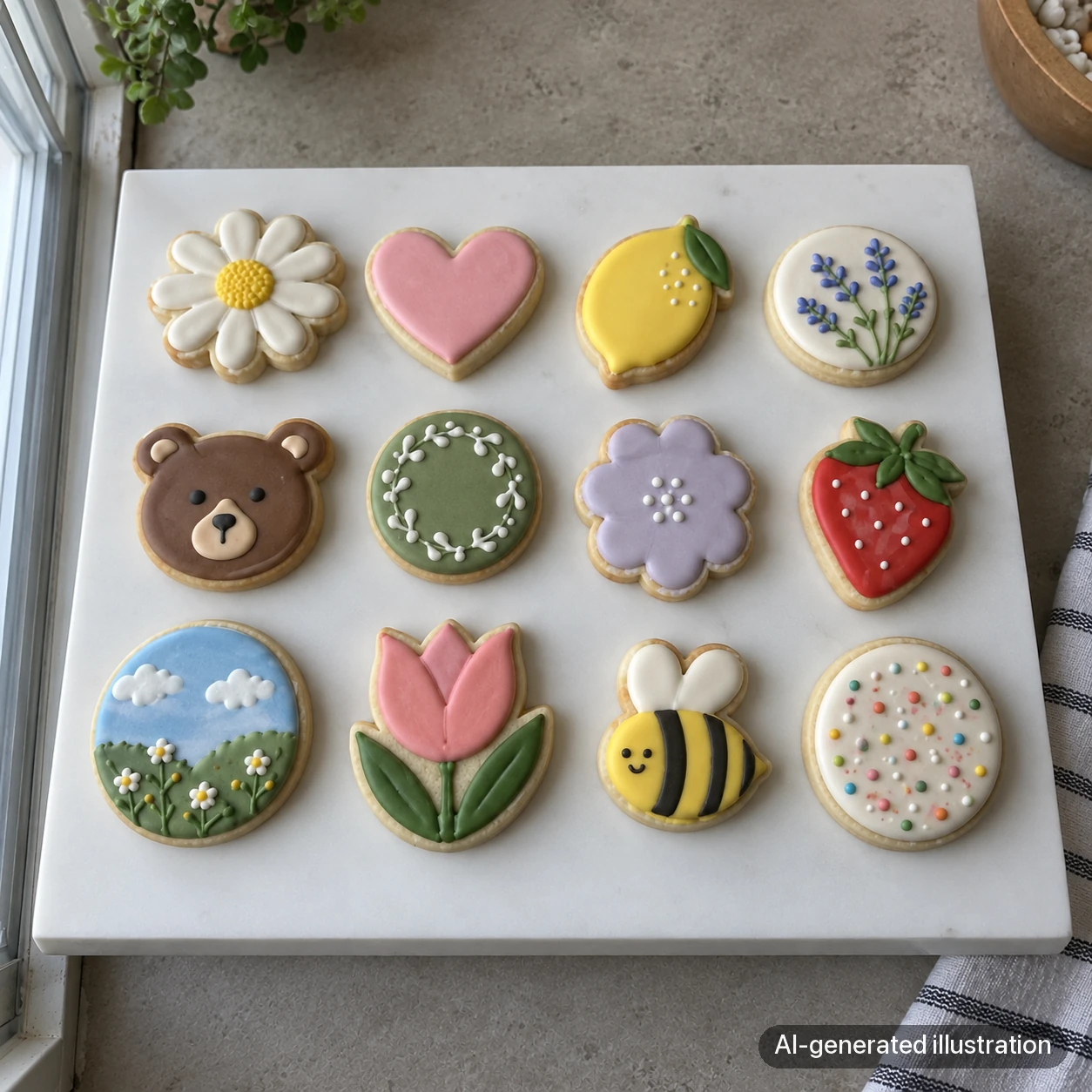
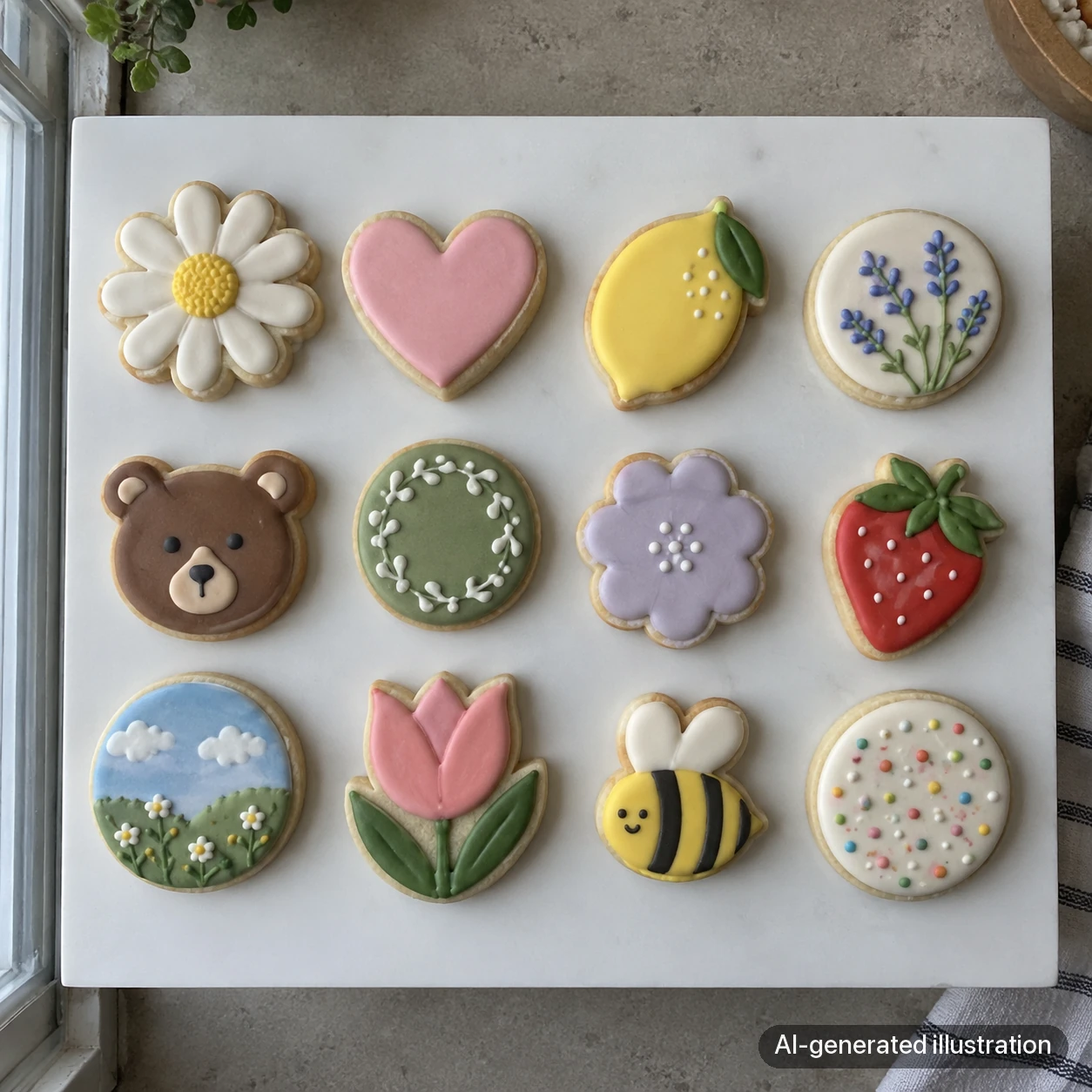
AI-generated perspective concepts. A tilted camera can make the farther row appear smaller; the pair does not measure a phone’s lens distortion or guarantee identical cookie dimensions. Keep the phone parallel to the board and check the row sizes in the preview.
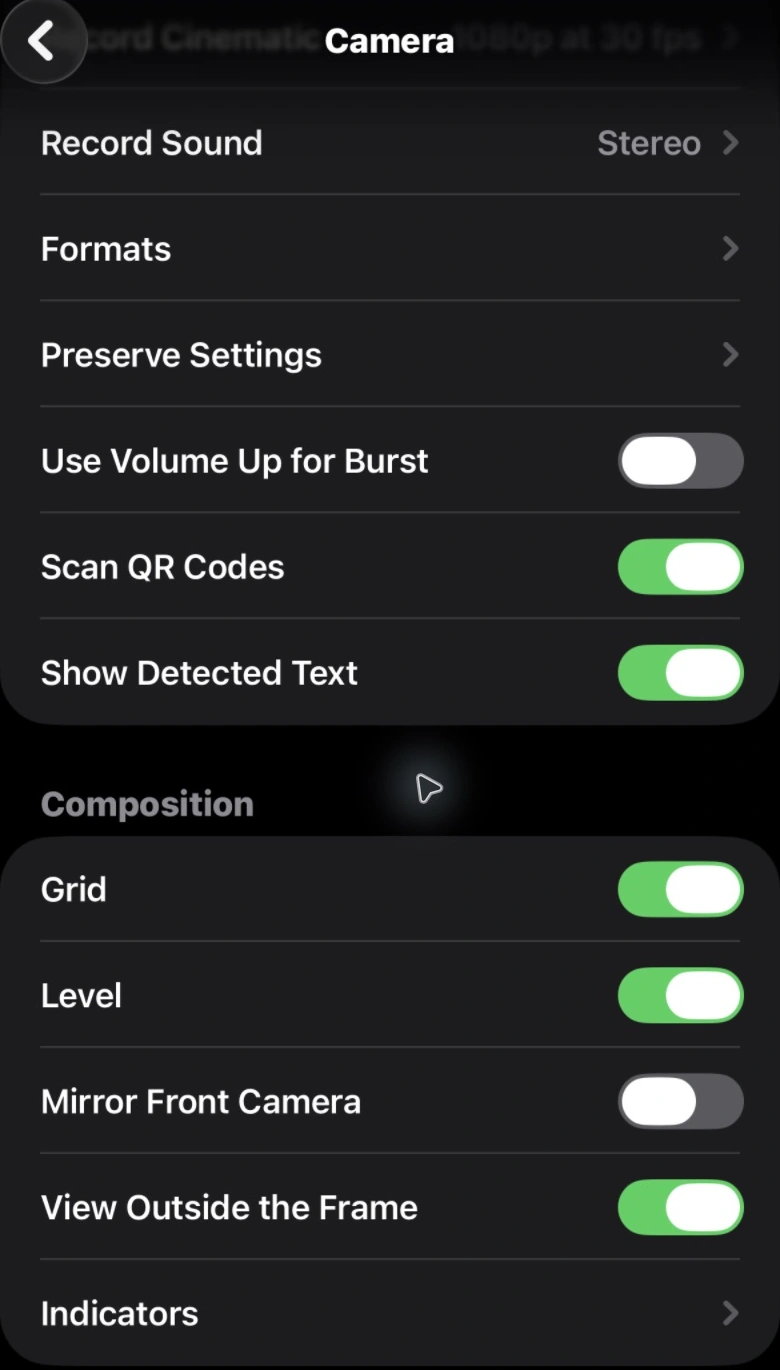
On an iPhone with the Level option, turn it on in Settings > Camera. In the live camera, point straight down and align the overhead guide when it appears; on supported versions the crosshairs align and change color when level. If your camera lacks that guide, use the grid and compare opposite edges of the board. Camera controls vary by phone and software version.
Keep the phone far enough above the board to include the full set. Start at 1x and try 2x if it stays sharp; avoid a very close ultra-wide view that exaggerates the cookies near the edges.
Minutes 9 to 10: shoot and check
Take ten or so frames, nudging the phone slightly between them. Then zoom in on a few and check the piping is sharp. Pick the best one now, while the set is still laid out, so you can reshoot if you need to.
Common flat lay problems and fixes
- A dark stripe across the cookies: that's your shadow; move to the other side
- Top row looks smaller than the bottom: the phone is tilted; use the level
- Set looks crowded: crop wider, or take one cookie out
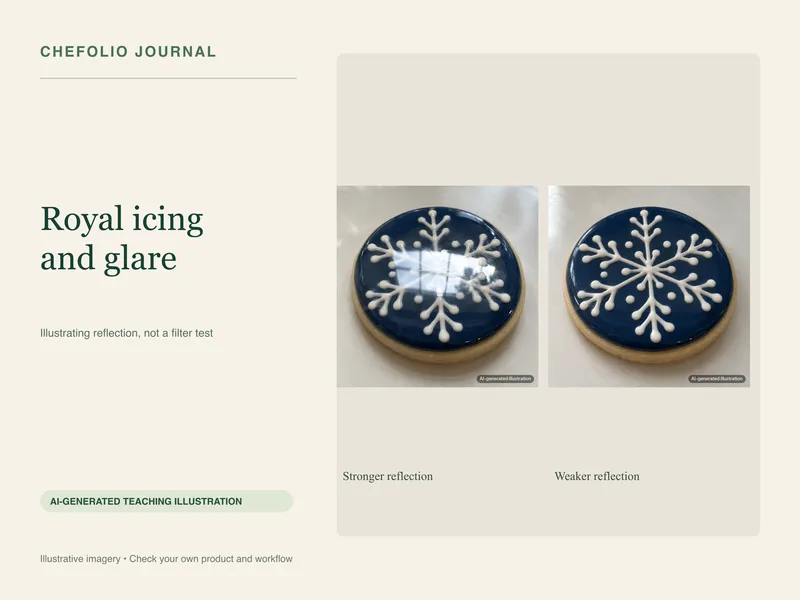
- Glare on shiny icing: move the board or tilt it slightly away from the window (our royal icing glare guide goes deeper)
Turning it into a menu image
A flat lay with space on one side is ready for text. You can add the set name and price in Canva or your phone's markup tool, or in Chefolio, where you type them in and the app places them on the finished image.
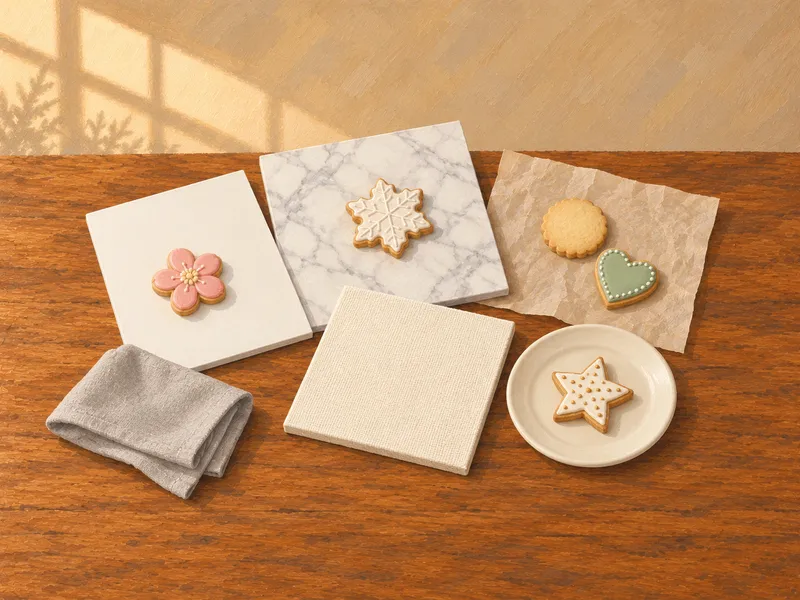
Chefolio can also help when the flat lay happened on a less-than-ideal surface, like the floor or a busy counter. It changes the background and light around the cookies. Check the designs and colors against your original, and note the edit in your caption.
Try it on your next flat lay:

No comments yet